How to Customize Controls in the Magnifier App on iPhone

Leanne puts her love of troubleshooting and repair to use managing our Ask an Expert Facebook group and has authored hundreds of how-to, Apple news, and gear review articles.
Learn More Leanne puts her love of troubleshooting and repair to use managing our Ask an Expert Facebook group and has authored hundreds of how-to, Apple news, and gear review articles.
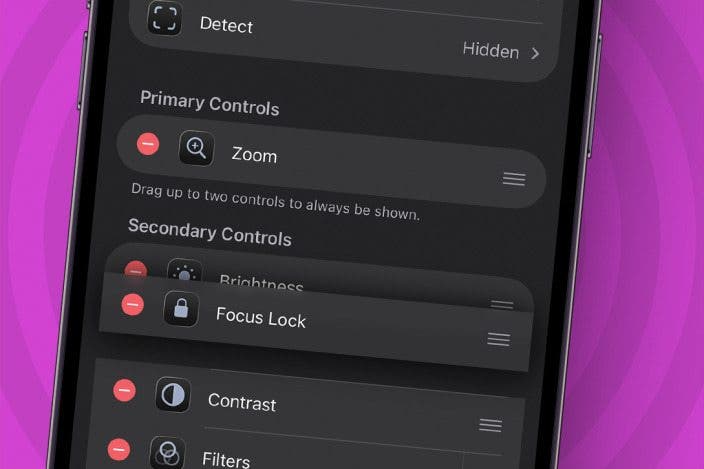
Learn MoreDid you know you can customize controls for the magnifying glass on your iPhone? You can add or take away controls like the Flashlight, Focus Lock, Brightness, Contrast, and many more. Here's how to customize the Magnifier app on your iPhone and iPad.
Why You’ll Love This Tip
- Streamline your Magnifier app controls by removing the features you don't use.
- Add features to the Magnifier app like Flashlight, Focus Lock, and more.
How to Customize the Magnifier App on iPhone & iPad
System Requirements
This tip works on iPhones running iOS 17 or later, and was tested on an iPhone 17 Pro running iOS 26. Find out how to update to the latest version of iOS.
The Magnifier app has a lot more controls and features than you might have realized. Here's how to access and add all the features you need in the Magnifier app on your iPhone and iPad.
- Open the Magnifier app.
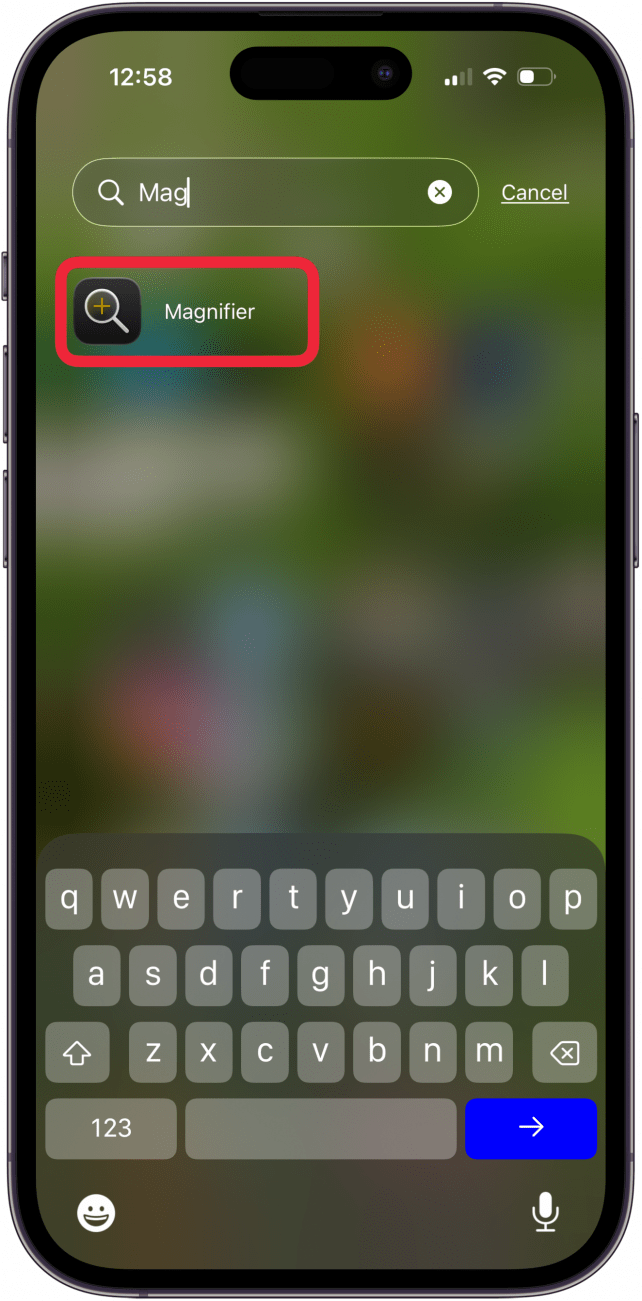
- Tap the Settings icon.

- Tap Activities, Capture, or Detect.
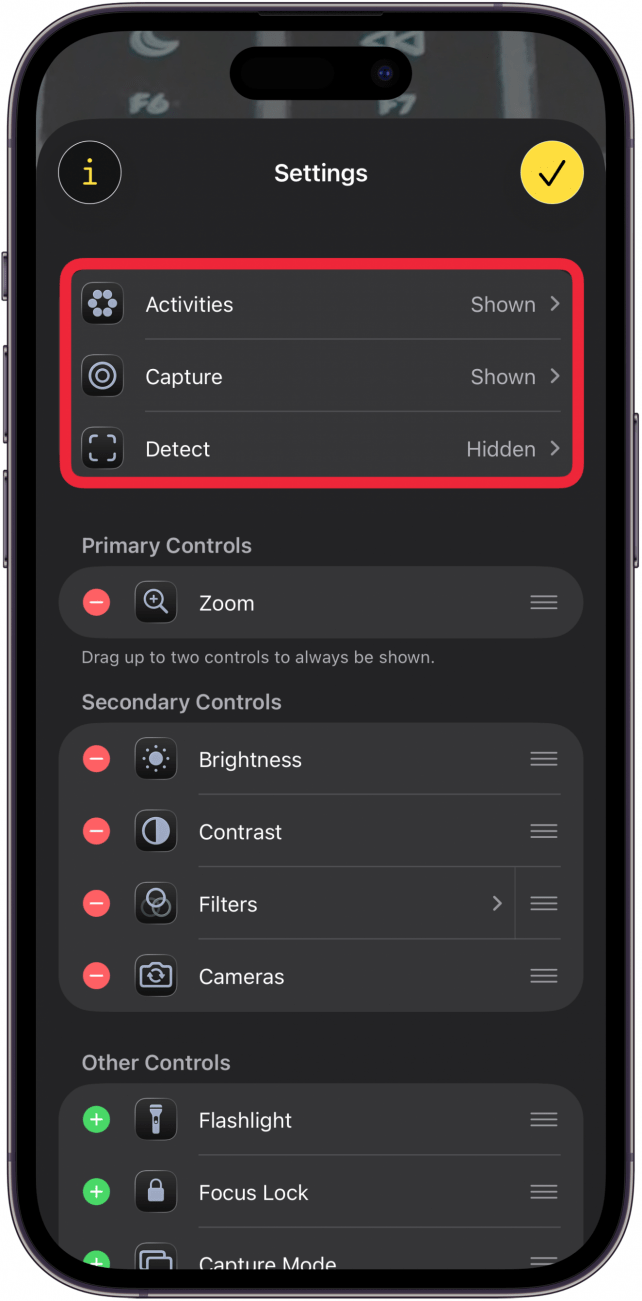
- Toggle Show in Control Panel on or off depending on whether or not you use that feature.

- To add or remove Primary Controls, Secondary Controls, or Other Controls, tap the plus icon or the minus icon.

- You can also reorder your Magnifier controls by touching and holding the three horizontal lines and moving the control up or down.

- Tap the check mark icon at the top right when you're done customizing the Magnifier controls.

That’s how to add or remove controls from the Magnifier app on your iPhone or iPad. Be sure to check out our free Tip of the Day for more great accessibility features.
More On: iPhone Magnification

Leanne Hays
Leanne Hays has more than sixteen years of experience writing for online publications. As a SEO Specialist and Feature Writer for iPhone Life, she has authored hundreds of how-to, Apple news, and gear review articles, as well as a comprehensive Photos App guide. Leanne holds degrees in education and science and loves troubleshooting and repair. This combination makes her a perfect fit as manager of our Ask an Expert service, which helps iPhone Life Insiders with Apple hardware and software issues.
In off-work hours, Leanne is a mother of two, homesteader, audiobook fanatic, musician, and learning enthusiast.
Related Articles
 Leanne Hays
 Rachel Needell

 Susan Misuraca

Tesla Apple Music Update: How to Sign In to Your Apple Music Account
 Olena Kagui
 Amy Spitzfaden Both
How to Turn Off Liquid Glass on Your iPhone & iPad
 Rhett Intriago