Apple Mail Follow Up: Explained

With 10-plus years of experience with Apple devices, Rachel specializes in all things iPad and is a Notes app expert. Find her writing in the Daily Tip newsletter and iPhone Life magazine.
Learn More With 10-plus years of experience with Apple devices, Rachel specializes in all things iPad and is a Notes app expert. Find her writing in the Daily Tip newsletter and iPhone Life magazine.
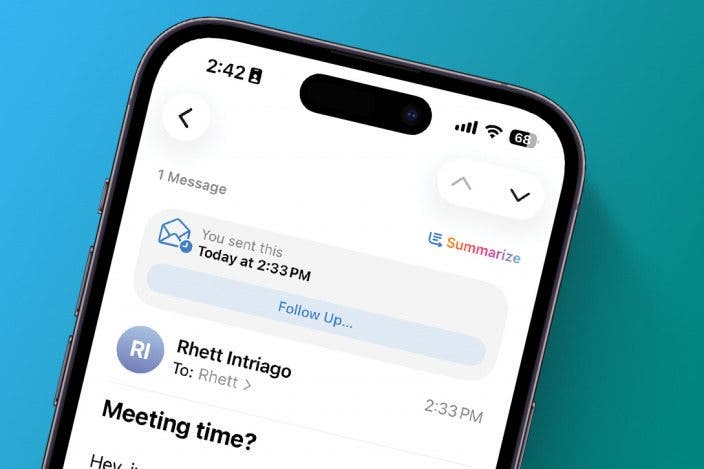
Learn MoreWhat does follow up on email mean? Apple's native Mail app has a feature called Follow Up. Using machine learning, the feature will remind you to follow up with someone if you haven't heard back from them after a certain amount of time. It's extremely useful for keeping things from slipping through the cracks! We'll show you how to use it and how to turn off Follow Up in Apple Mail.
Why You'll Love This Tip
- Never forget to follow up about an email again with the new Follow Up feature on the Apple Mail app.
- Or you can turn this feature off if you don't want to see notifications.
How to Use Apple Email Follow Up Feature
System Requirements
This tip was performed on an iPhone 15 Pro running iOS 26.2.1. Find out how to update to the latest version of iOS.
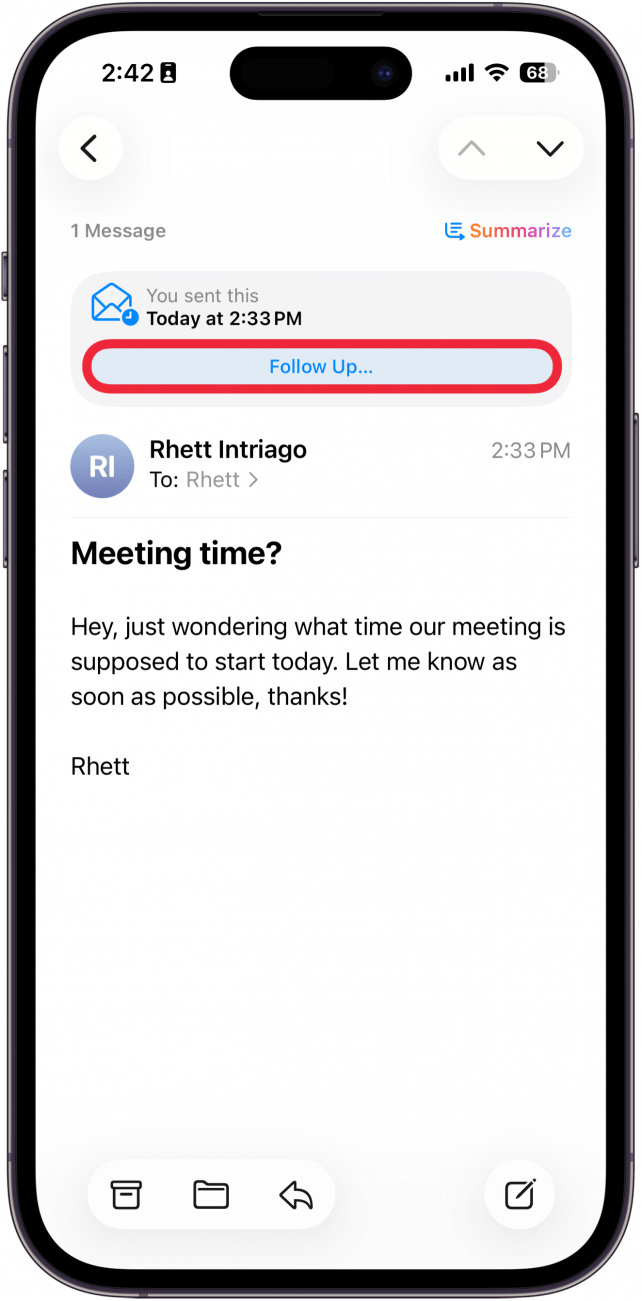
On certain emails where you have asked a question or for a response, you will see a Follow Up button when you tap them in the Sent folder in the Mail app. Emails that your Mail app thinks you might want to follow up on will also be boosted to the top of your inbox after three days with no response. If you like tips about how to use your iPhone, be sure to sign up for our free Tip of the Day! Here's what the iOS Mail Follow Up Suggestions setting does.
- On your iPhone, open the Mail app.
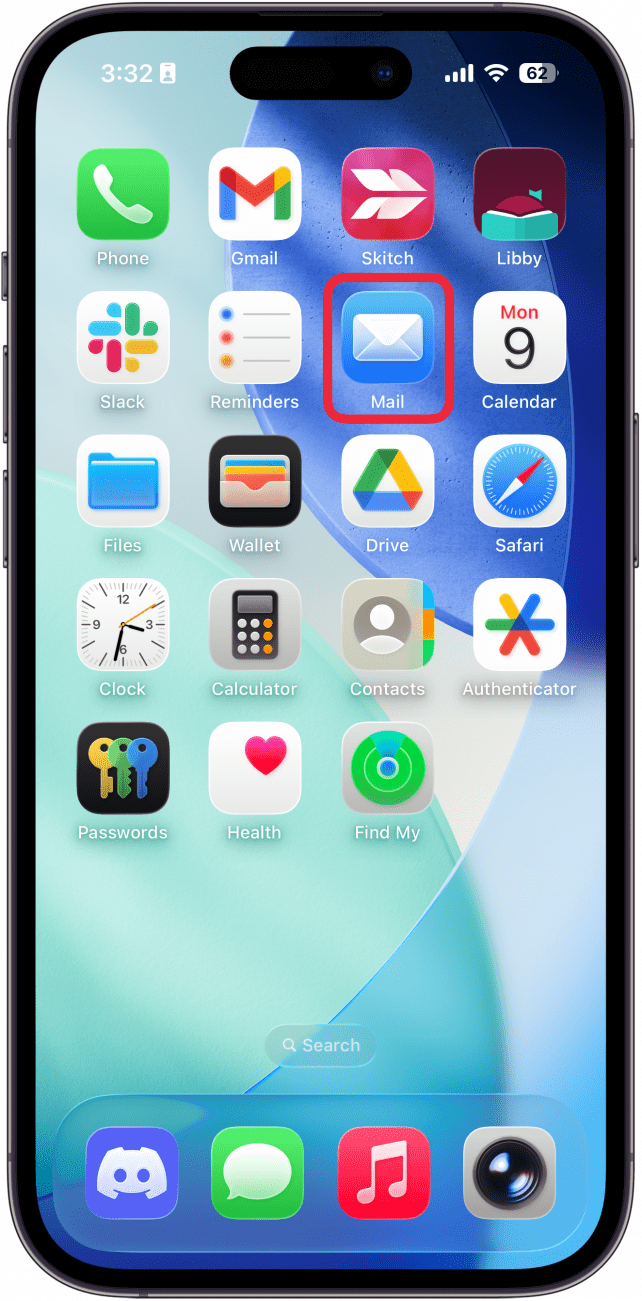
- Go to Mailboxes and tap Sent.
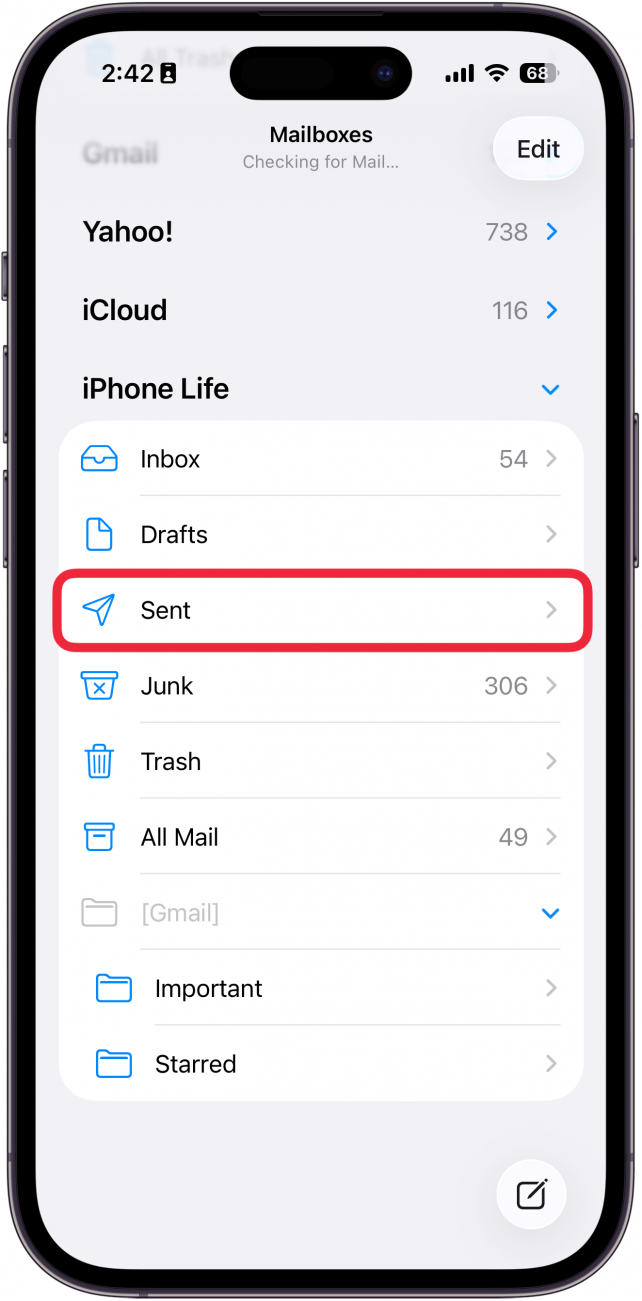
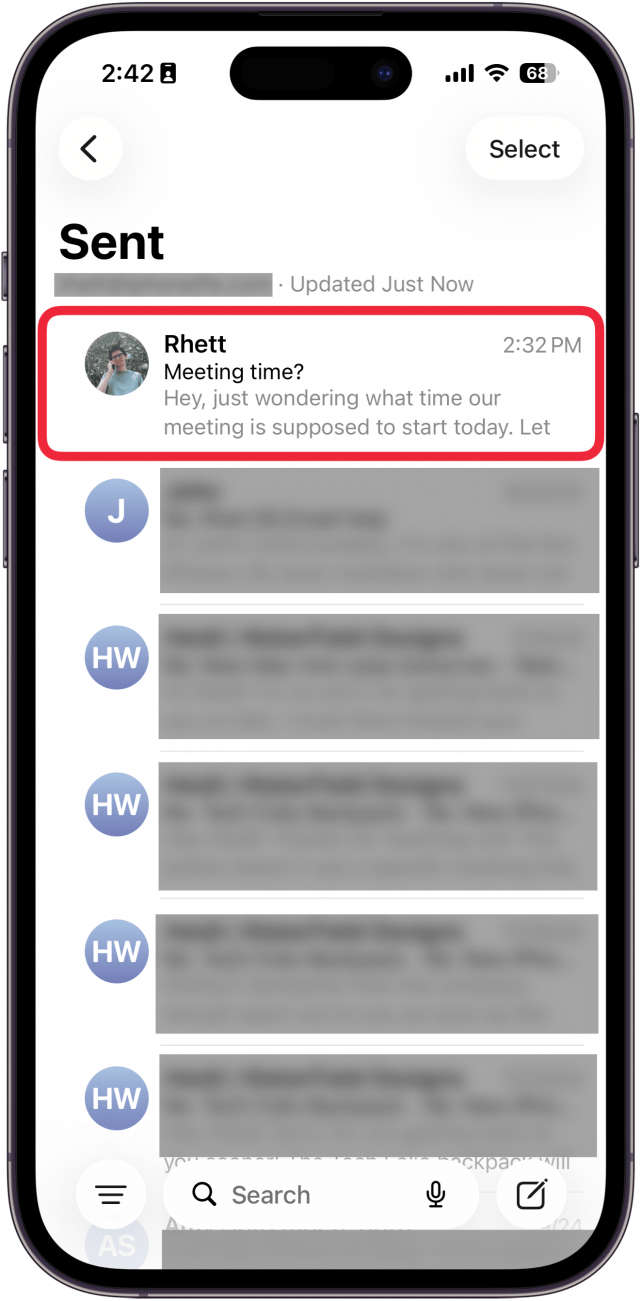
- Tap a recently sent message that contains a question.
- Just under the address bar, you will see a button that says Follow Up...
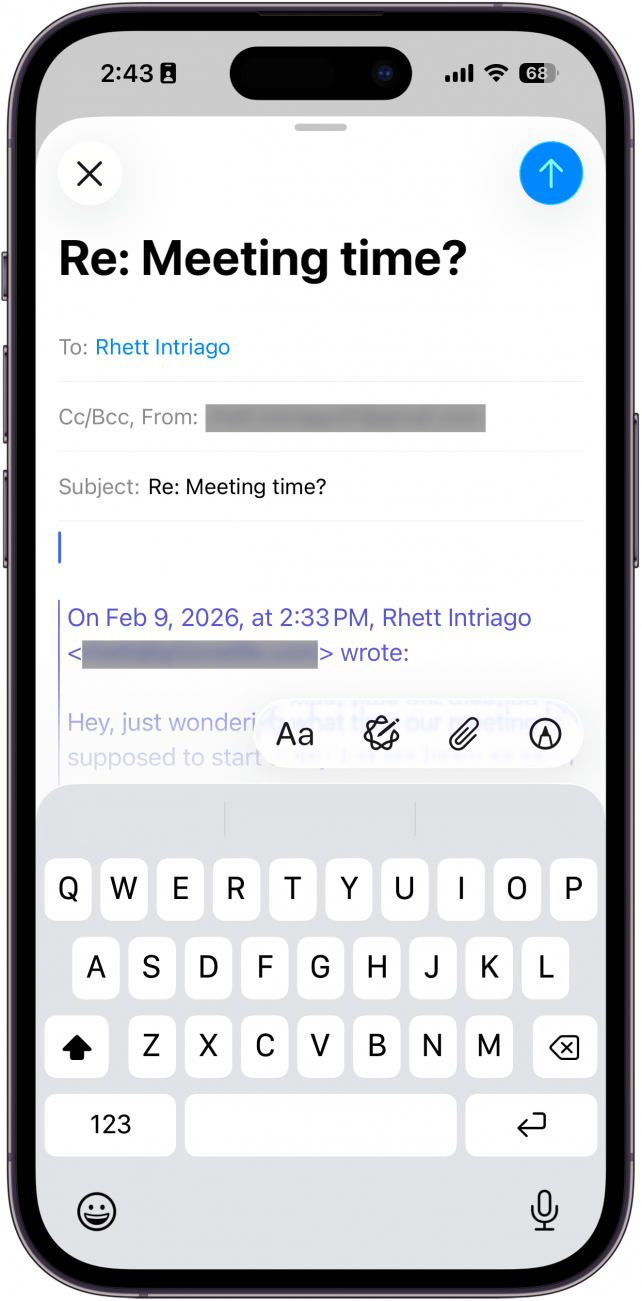
- If you tap the button, it will take you to a new blank email, already addressed to the same recipient as before, to make following up about an unanswered email that much quicker!
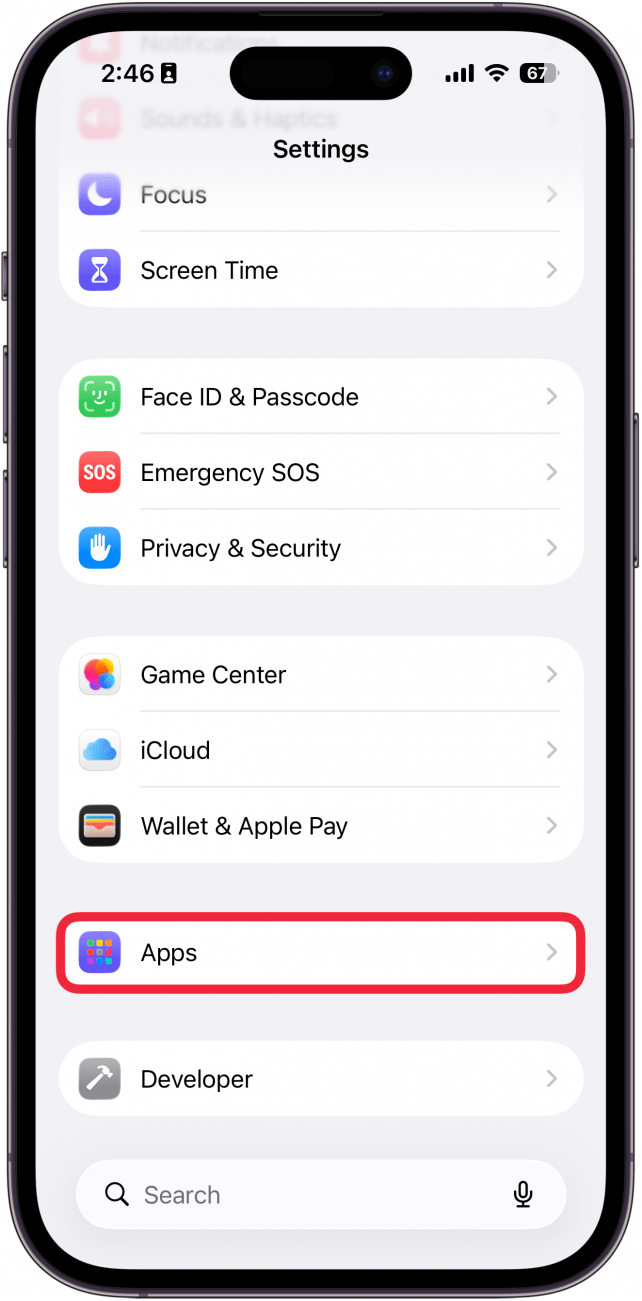
- If you want to turn off follow up in Apple Mail, go to the Settings app and tap Apps.
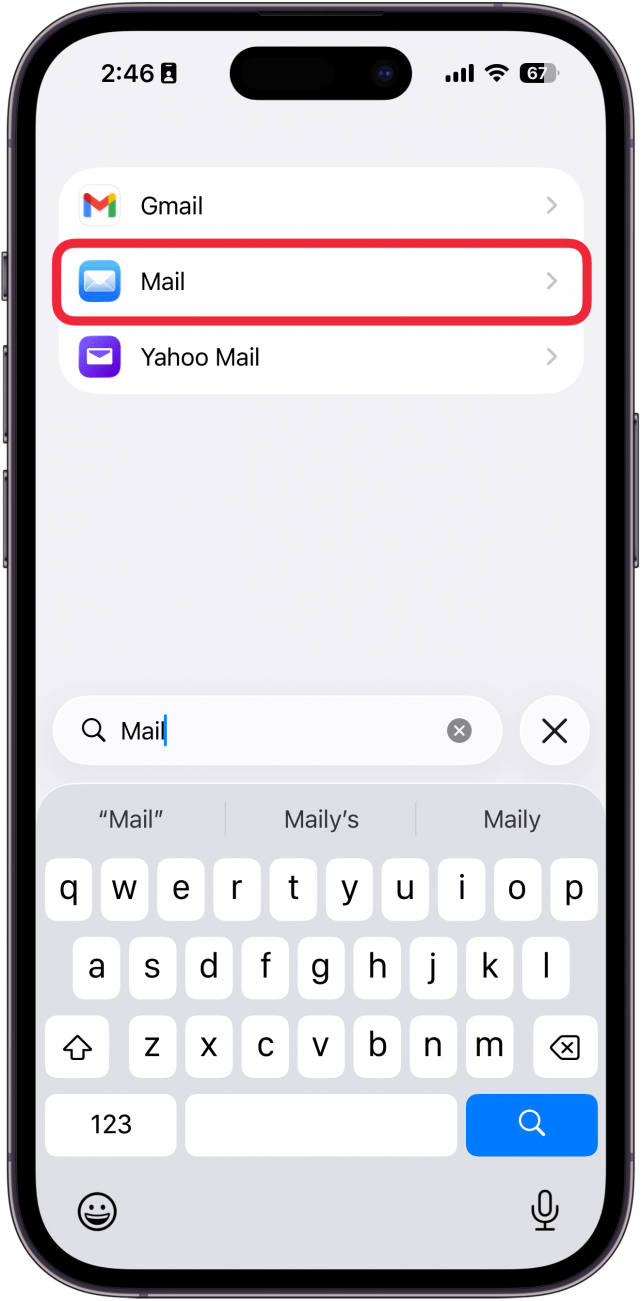
- Find the Mail app in the list or use the search bar.
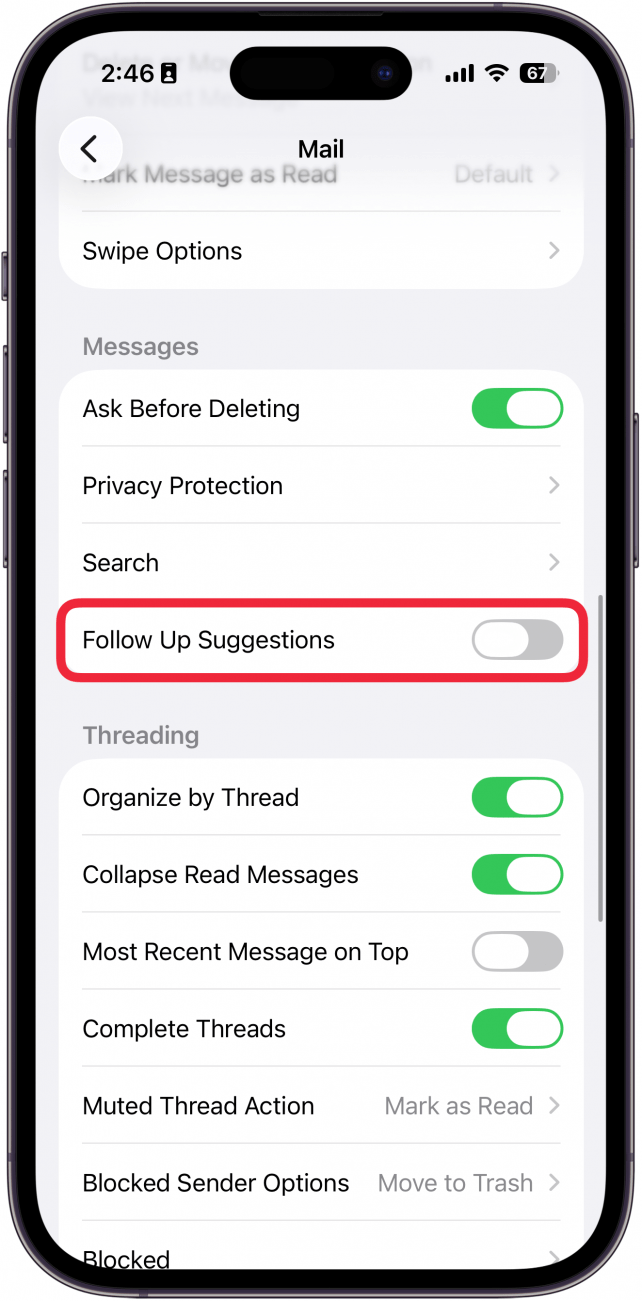
- Toggle Follow Up Suggestions to off. The toggle will be gray and to the left when disabled.
Note
If you have Follow Up toggled on, you will not need to go into the Sent folder to find emails the Mail app thinks you should follow up on. Emails that have not received a response should go to the top of your inbox after three days.
That's how to use the Apple Mail Follow Up feature and how to turn off Follow Up in Apple Mail. Whether you like this feature or you want to turn it off, the new settings in Apple's Mail app continue to make it a decent competitor to other mail clients.
More On: The Mail App

Every day, we send useful tips with screenshots and step-by-step instructions to over 600,000 subscribers for free. You'll be surprised what your Apple devices can really do.

Rachel Needell
Related Articles

 Olena Kagui
 Rhett Intriago

iPadOS 26 Brings Mac Functionality to the iPad Experience (Finally!)
 Leanne Hays
How to Use StandBy Mode in iPhone Sleep Mode & Other Focus Modes

 Amy Spitzfaden Both
2025 iPhone Life Buyer’s Guide: All the Best Gear on Sale for Cyber Week
 Susan Misuraca
How to Check Your iPhone Battery Level on Your Apple Watch

 August Garry
 Ashleigh Page